

Switching to a new POS system can feel risky for any business—especially in a fast-paced market like Chicago. Even a few hours of downtime can lead to lost sales, frustrated customers, and operational chaos.
The good news? With the right strategy, you can upgrade your POS system without interrupting your daily operations.
Why Downtime Happens During POS Switching
Before jumping into the solution, it’s important to understand common causes of downtime:
- Poor planning and rushed migration
- Data transfer errors
- Staff not trained on the new system
- Hardware compatibility issues
- Internet or cloud setup problems
Avoiding these pitfalls is key to a smooth transition.
Step-by-Step Guide to Switching POS Without Downtime
1. Plan Your Transition in Advance
Start planning at least 2–4 weeks before switching.
- Identify business requirements
- Choose the right POS system
- Set a clear migration timeline
👉 Tip: Schedule the switch during off-peak hours or slow business days
2. Choose a POS System That Supports Migration
Not all POS systems are migration-friendly. Choose one that offers:
- Data import tools
- Integration with existing software
- Cloud-based backup
This ensures a smoother and faster transition.
3. Backup All Your Data
Before making any changes, securely back up:
- Sales history
- Customer data
- Inventory records
- Employee information
👉 This protects your business from data loss during the switch.
4. Run Both Systems in Parallel (Best Strategy)
This is the most effective way to avoid downtime.
- Keep your old POS running
- Test the new POS alongside it
- Compare transactions and reports
Once everything works perfectly, fully switch over.
5. Train Your Staff Before Going Live
Your team should be comfortable using the new system.
- Provide hands-on training
- Share quick guides
- Run mock transactions
👉 Well-trained staff = zero confusion during live operations
6. Test Hardware & Integrations
Make sure everything works before launch:
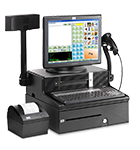
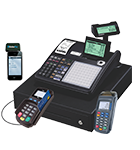
- Receipt printers
- Barcode scanners
- Card machines
- Kitchen display systems (for restaurants)
Also test integrations like accounting or inventory tools.
7. Switch During Off-Peak Hours
Timing is critical.
For businesses in Chicago:
- Retail stores → Early morning or late evening
- Restaurants → Between lunch & dinner hours
This minimizes risk and customer impact.
8. Monitor Performance After Launch
After switching:
- Track transactions closely
- Check reports and inventory updates
- Fix issues immediately
👉 Keep technical support on standby for the first 24–48 hours.
Bonus Tip: Use Cloud-Based POS Systems
Cloud POS systems make switching easier because:
- Data is stored securely online
- Access from multiple devices
- Automatic updates and backups
They are ideal for modern businesses in Chicago looking for flexibility and scalability.
Common Mistakes to Avoid
- Switching during peak hours
- Not training staff properly
- Ignoring data backup
- Choosing a system without support
- Rushing the process
Avoid these, and your transition will be smooth.
Final Thoughts
Switching to a new POS system doesn’t have to disrupt your business. With proper planning, staff training, and the right technology, you can ensure a seamless, zero-downtime transition.
Businesses in Chicago that upgrade their POS systems efficiently often see improvements in speed, accuracy, and customer satisfaction.